
Play without a kit
The last release was about taking your kit as it comes. This one is about not having one. Until now Groove Academy needed a MIDI controller plugged into a browser that speaks Web MIDI — which ruled out every phone and tablet ever made, and anyone whose pads are at a friend's house. Your computer keyboard and a grid of on-screen pads are now instruments the app knows how to listen to.
Your keyboard is six drums
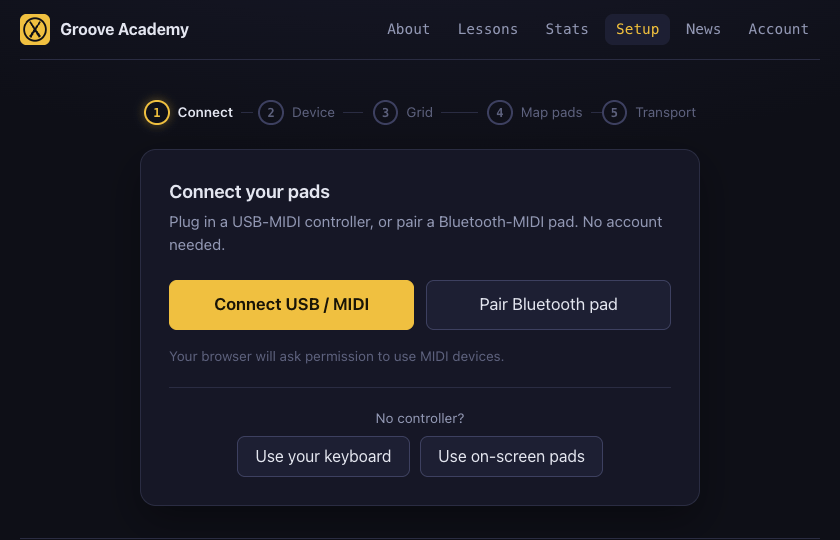
Setup's first screen asks you to connect a controller. Underneath it now reads No controller? — take the keyboard, take the on-screen pads, and you are playing a lesson about fifteen seconds later.
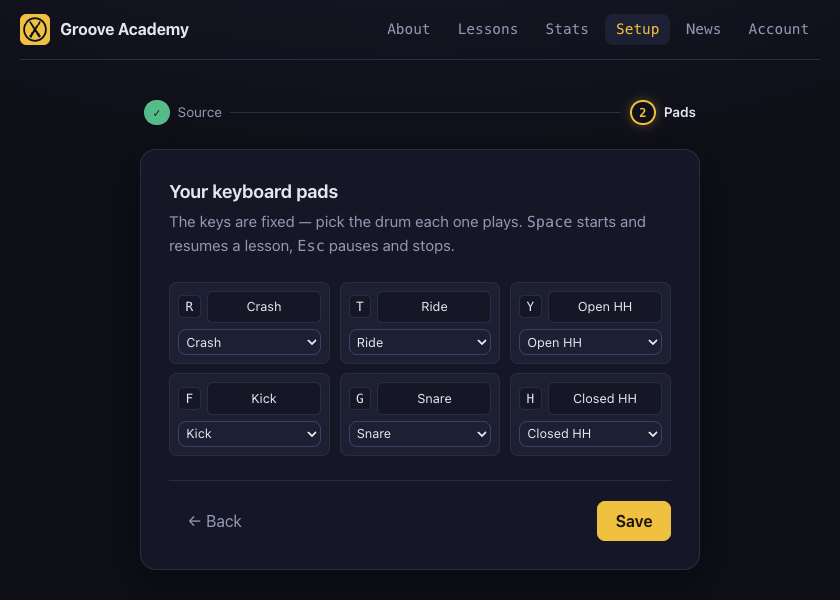
Six pads: kick, snare, closed hat, open hat, crash, ride. That is not a stripped-down sample of a real kit so much as the honest contents of the curriculum, which is overwhelmingly those six. The groove core — kick, snare, closed hat — sits on F G H, straight along the home row where your fingers are already resting; the colour voices sit on R T Y above. They are bound to the physical keys rather than the printed letters, so the shape is the same shape on AZERTY or Dvorak. Space starts a run and resumes a paused one, Esc pauses and stops on a second press — so a practice session never needs the mouse.
And a phone is a way in
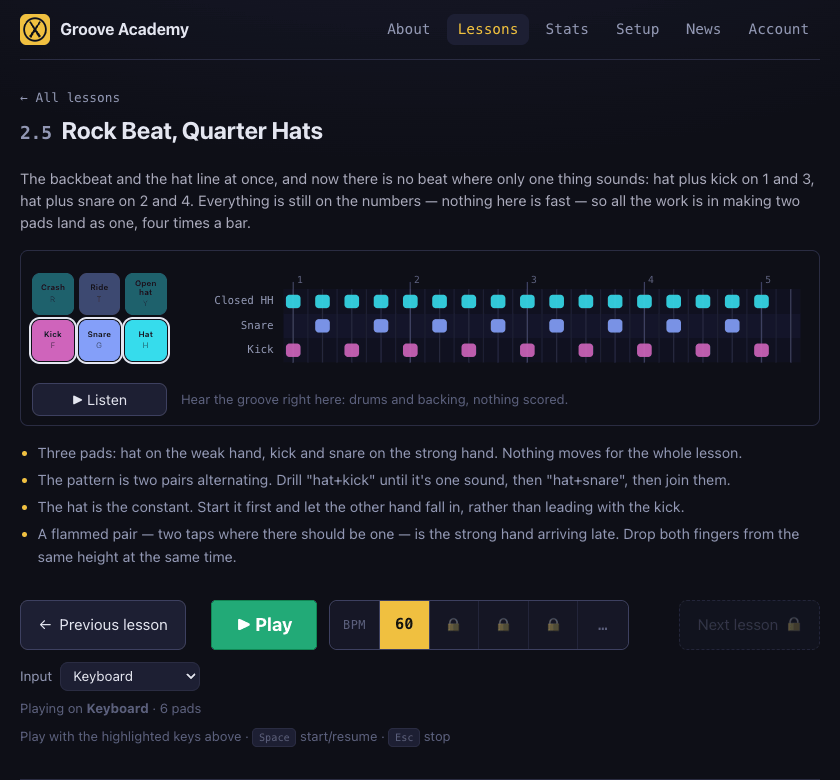
No mobile browser implements Web MIDI — not Safari, not Chrome on iOS — so a phone has never been able to play a lesson here, whatever you plugged into it. The on-screen pads do not care: they lay out two-by-three to fit a phone held in one hand, three-by-two on anything wider, and they sit beside the pattern chart in exactly the spot a drum kit's schematic occupies, because as far as the lesson page is concerned that is what they are.
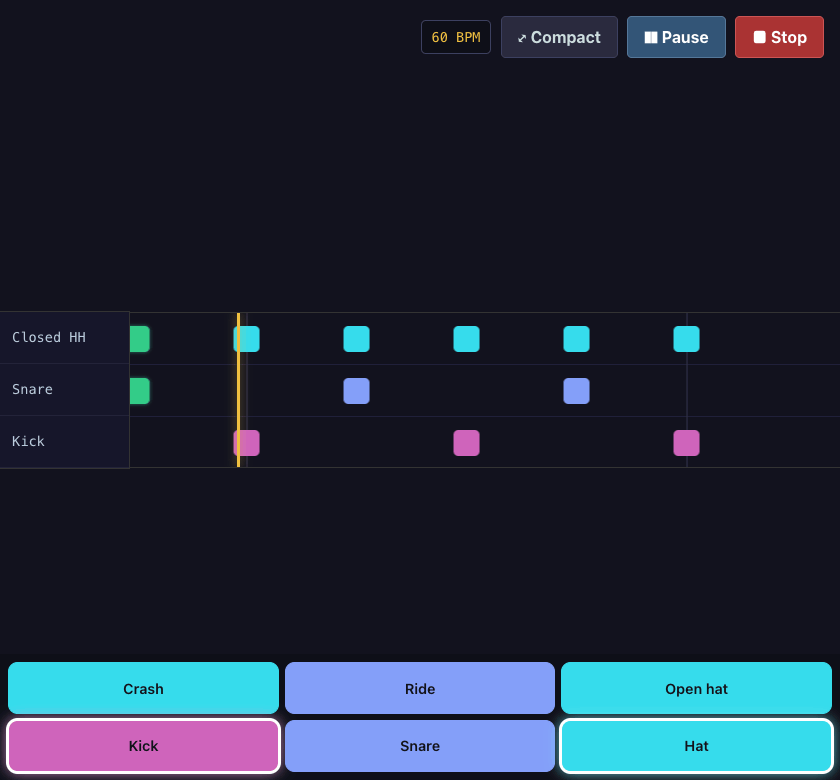
During a run they move into the empty half of the screen below the scrolling lanes, and the pad you are about to need lights a ring about a beat before its note lands. When you are playing with your thumbs you are looking at your thumbs, not at the highway, so the cue had to go where your eyes already were.
None of this is a lesser mode
A keyboard is picked from the same device list as a drum module, and once picked it behaves like one. Every pad's drum is changed from the same dropdown, so if you want the ride on F that is one click. And a run played on it lands in your practice history named for what it was, alongside your runs on a kit — which matters more than it sounds, because "my timing got worse this week" reads very differently once you can see that this week was played on a laptop in a hotel.
A calmer highway
Notes now cover 110 pixels a beat where they used to cover 280. At the same tempo — the music has not changed at all — they approach from further away and a great deal more of the pattern is legible before it arrives, which turns the highway from something you react to into something you can read ahead on. Nothing about scoring moved: it has always been measured against the audio clock and has never once looked at a pixel.
Also in this release
- Kit pads that sound like the drums they are. A drum module that names its pads in General MIDI knows more about them than a profile written from a photograph does. So on a kit, a pad whose note we hold a sample for now plays that sound instead of the profile's guess, and the MD-90's toms are corrected against the real hardware. Pad grids are left alone — on an MPD218 the notes are addresses, not drums.
- Revealing a quote's testimonial no longer shoves the buttons away. It appeared in the flow and pushed Like and Dislike down the page as it did. It floats now, and nothing moves.
Follow @groove_academy for the next update, or go play something — with, as of today, whatever you happen to have.