
Bring your kit
Groove Academy has always assumed you were playing it on a grid of pads. If what you own is an electronic drum kit, the only way in was to pretend it was a rectangle and map its drums in an order you had to invent for yourself. That assumption is gone. The app now takes a kit as a kit — and while we were in there, the lesson catalogue stopped being one long list.
Set up a kit as a kit
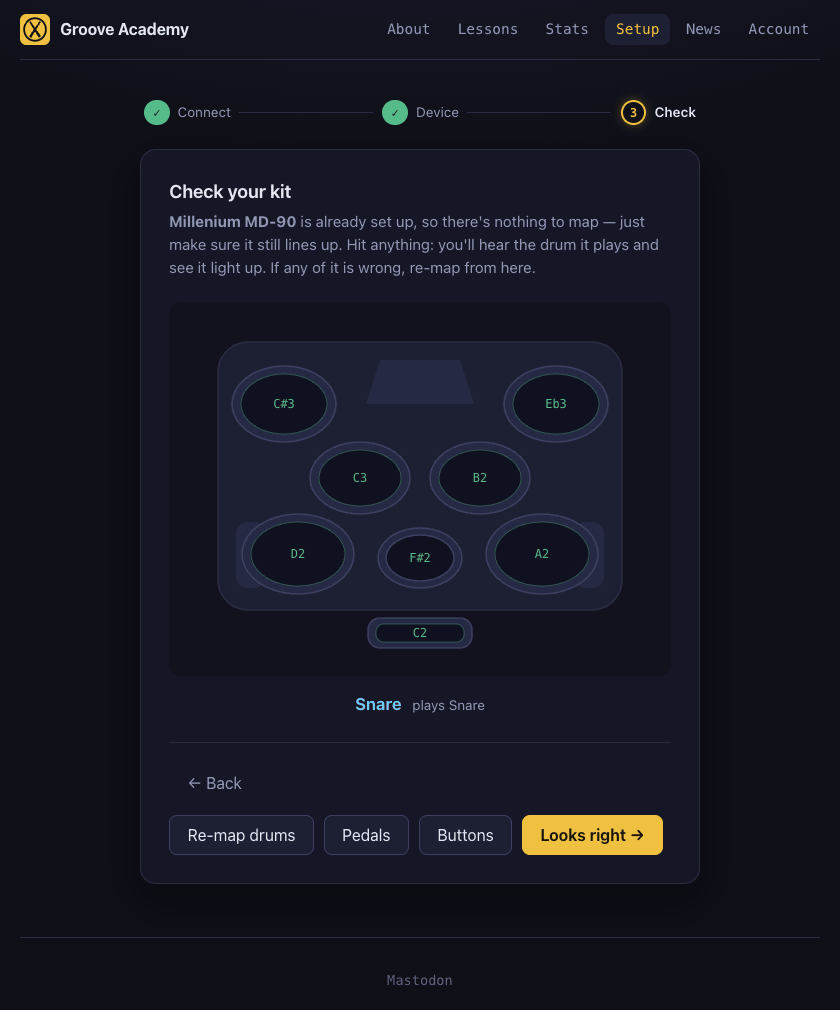
Plug in an electronic kit and setup shows you your kit: the drums where they actually sit on the unit, lit one at a time so you know which one to hit. A profile for the Millenium MD-90 ships with this release.
It is recognised by its maker rather than its name, which is worth explaining: the MD-90 does not call itself an MD-90. It announces itself as e-drum by Medeli — the company that actually builds it, for Thomann and others. So the setup offers you the layout and asks whether it is yours, rather than telling you what you own. If it is not, pick another or describe your own.
Your feet, worked out rather than guessed
Kits disagree about how a hi-hat works. Some send one note and let the pedal say whether it was open or closed; some send two different notes and need no pedal at all; plenty of people own the module and never bought the footswitches. Rather than ask you — most drummers have no idea what their module sends, and why should they — setup finds out from three quick gestures, and captures the bass pedal alongside.
Skip anything you have not got. Each pedal on its own, or the lot. What you skipped is then said out loud, so a kick that will never make a sound is something you find out now instead of halfway through a lesson.
Your instrument, next to the lesson
The pattern chart tells you when. Your own kit, drawn beside it, tells you where — the drums this lesson asks for, named in the same colours the chart gives them, lighting up as you play them. During a run it sits under the scrolling highway whenever there is room for it.
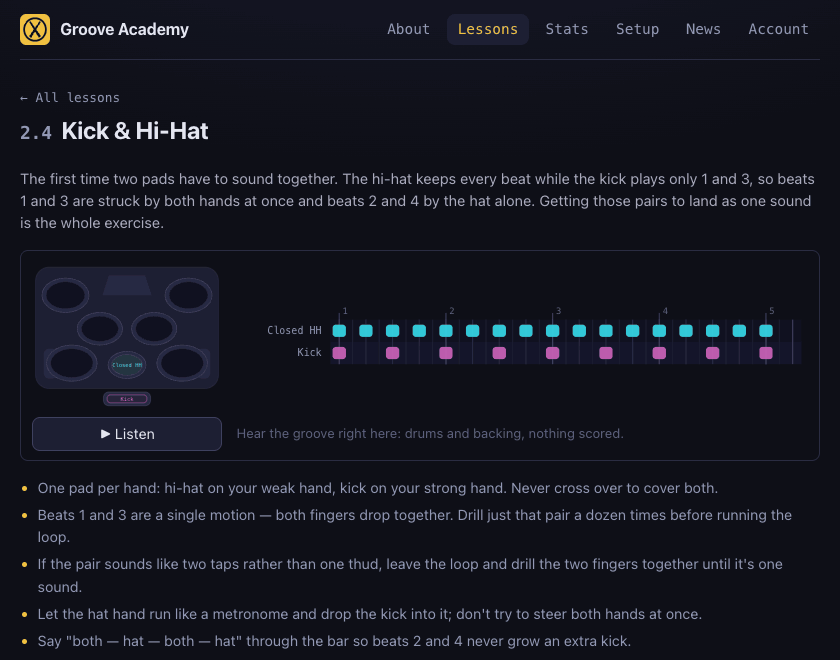
And if a lesson needs a drum your setup cannot produce — an open hi-hat, say, on a kit with no pedal — the page tells you before you start, rather than letting those notes pile up as misses you cannot account for.
Finding a lesson
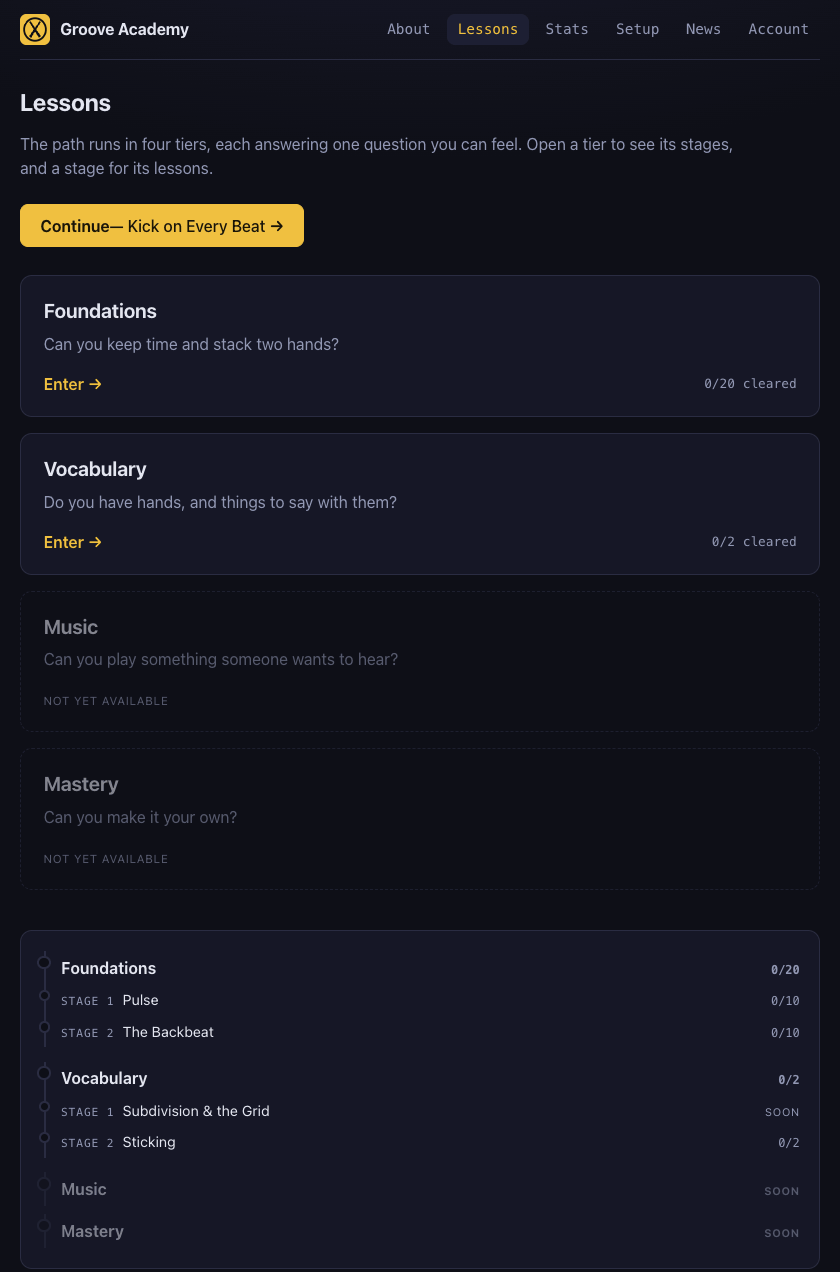
Lessons was one long list. It now opens on four tiers, each with the question it answers: can you keep time, do you have things to say, can you play something someone wants to hear, can you make it your own. Open a tier for its stages, a stage for its lessons — or press Continue and go straight back to where you left off.
Also in this release
- A closed hi-hat that would not score. On a kit with a hi-hat pedal, every hat you hit was being counted as an open hat unless you held the pedal down — correct for a drummer, useless here, where nearly every lesson wants closed hats. It failed quietly, too: the picture of your kit lit up either way, so the hits looked like they had landed. A lesson that uses one hi-hat sound now takes that sound however you strike it, and only the two lessons that genuinely use both leave the pedal in charge.
- Your quote ratings now follow you between devices along with your progress and your runs — and if one of those fails to sync it can no longer take the others down with it.
- A How it works section on the landing page, for anyone arriving without knowing what this is.
Follow @groove_academy for the next update, or go play something.